Smart about what stays
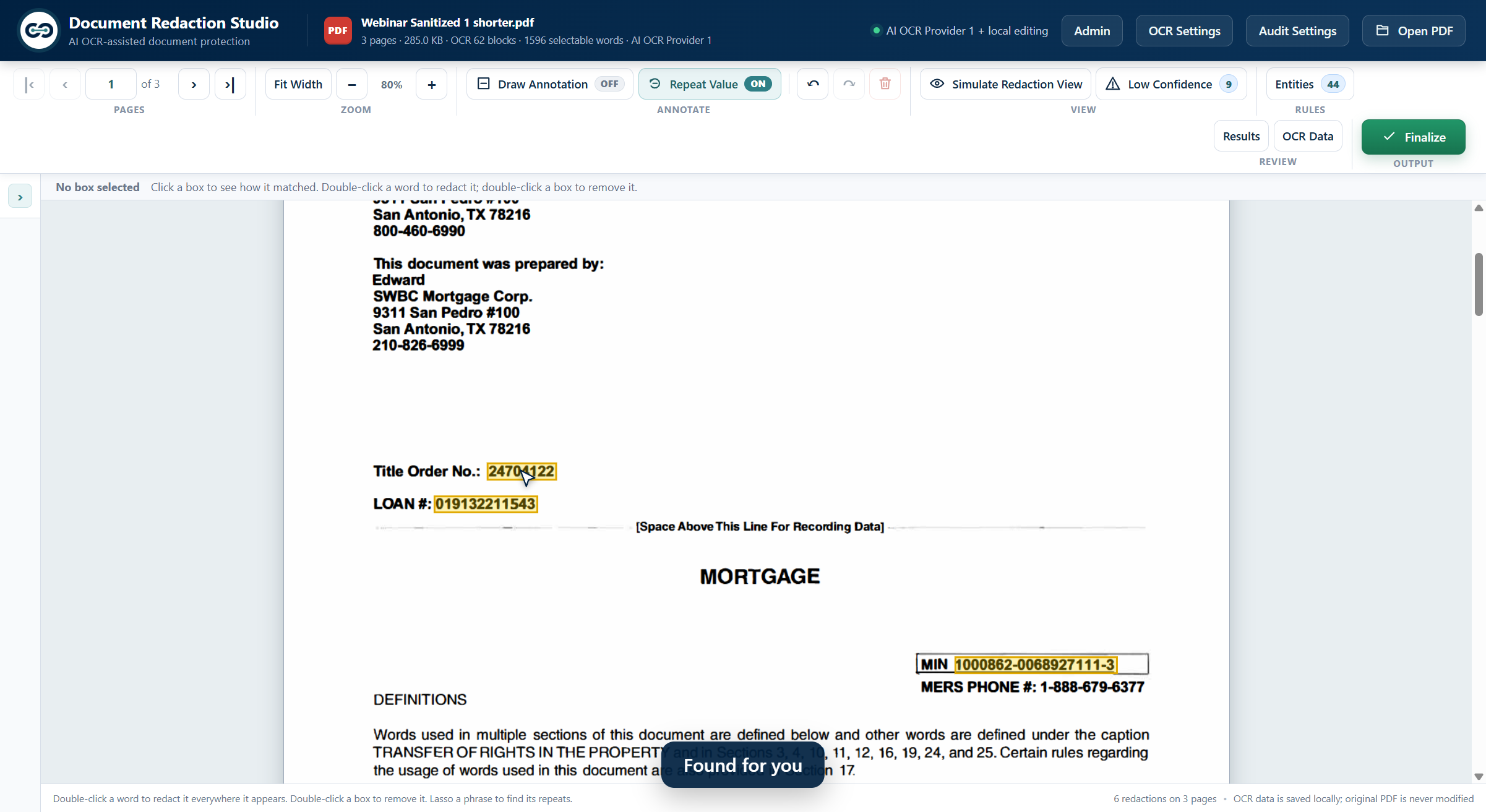
Protect county and notary stamps while marking the loan numbers, account numbers, Social Security numbers, barcodes and other sensitive values around them.
 Back to products
AI-assisted document redaction
Prepare, inspect and finalise sensitive document packages in a controlled Windows desktop workflow. AI finds what needs attention; a reviewer keeps the final decision.
Compared with manual redaction, users redact up to ten times faster.
The whole package
Redaction Studio combines AI text recognition, visual detection and a high-clarity editor so reviewers can work through mixed document packages without treating every dark mark as equally trustworthy.
A reviewable workflow
Load the document set and let AI text recognition prepare each page for review.
Inspect the box, its reason and its confidence. Add, remove or repeat a redaction when needed.
Keep approved values visible or save a value that should always be hidden in future work.
Create a new image-based PDF with redactions burned in and hidden document properties removed.
Built for the reviewer
The system accelerates the search. The editor makes the evidence, uncertainty and final choice visible.
Protect county and notary stamps while marking the loan numbers, account numbers, Social Security numbers, barcodes and other sensitive values around them.
Select a suggested redaction to see the value, entity type, confidence and the rule that put it there before you decide.
Never Redact keeps an approved value visible. Always Redact saves a value as a rule and applies it to the documents you open next.
Draw a box, double-click a word or use Repeat Value to mark the same value on every page. Low Confidence shows reviewers where a difficult scan needs attention.
A decision trace records what the scan considered, what it hid, what it left visible and why.
Switch entity types on or off and manage your own Never and Always Redact rules without waiting on outside support.
The product in use
Connect your own OCR account, complete the work locally, then inspect the decision trace before finalising the document.
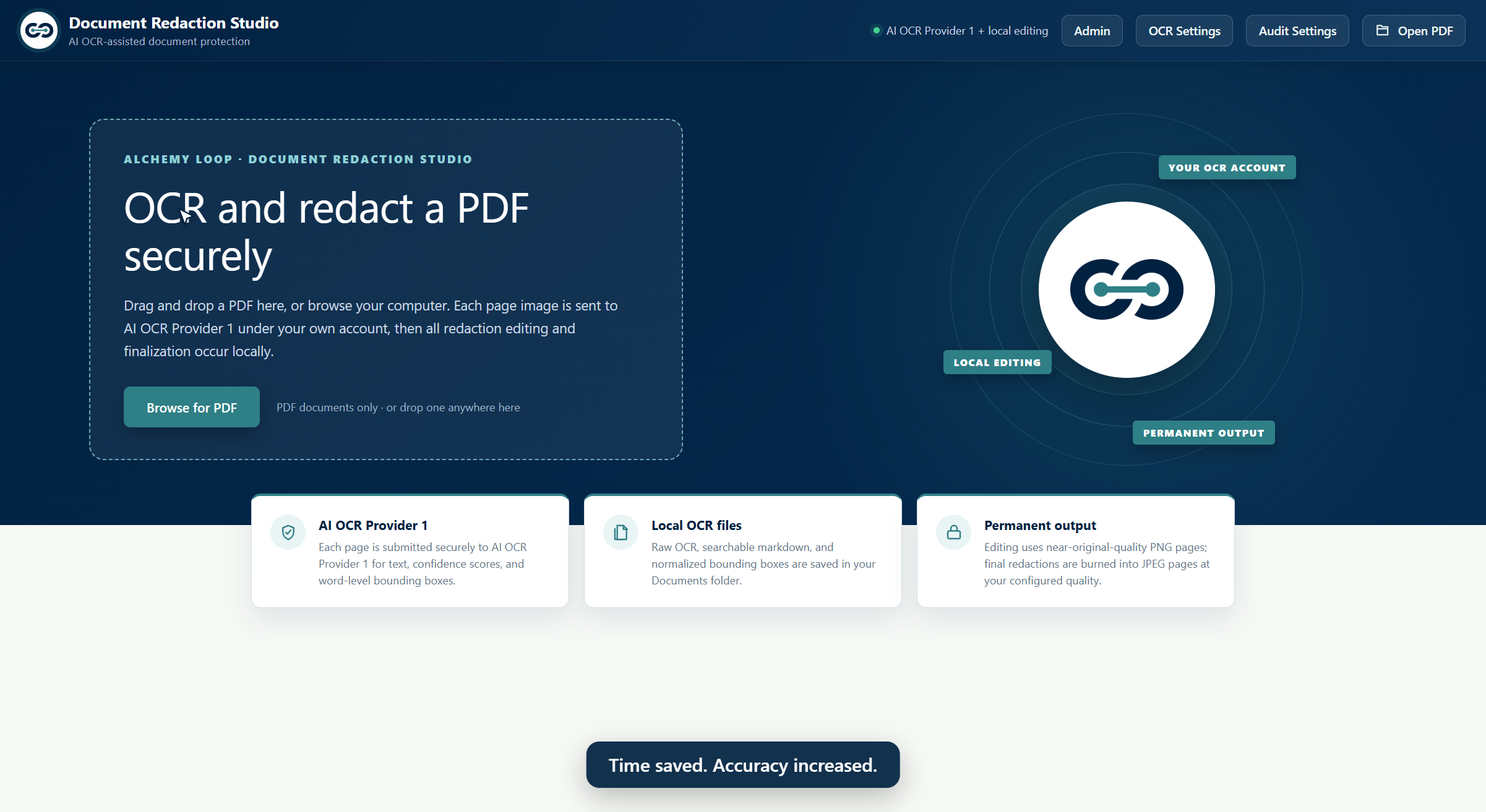
Open the PDF, use your connected OCR account and keep editing and finalisation on the computer.
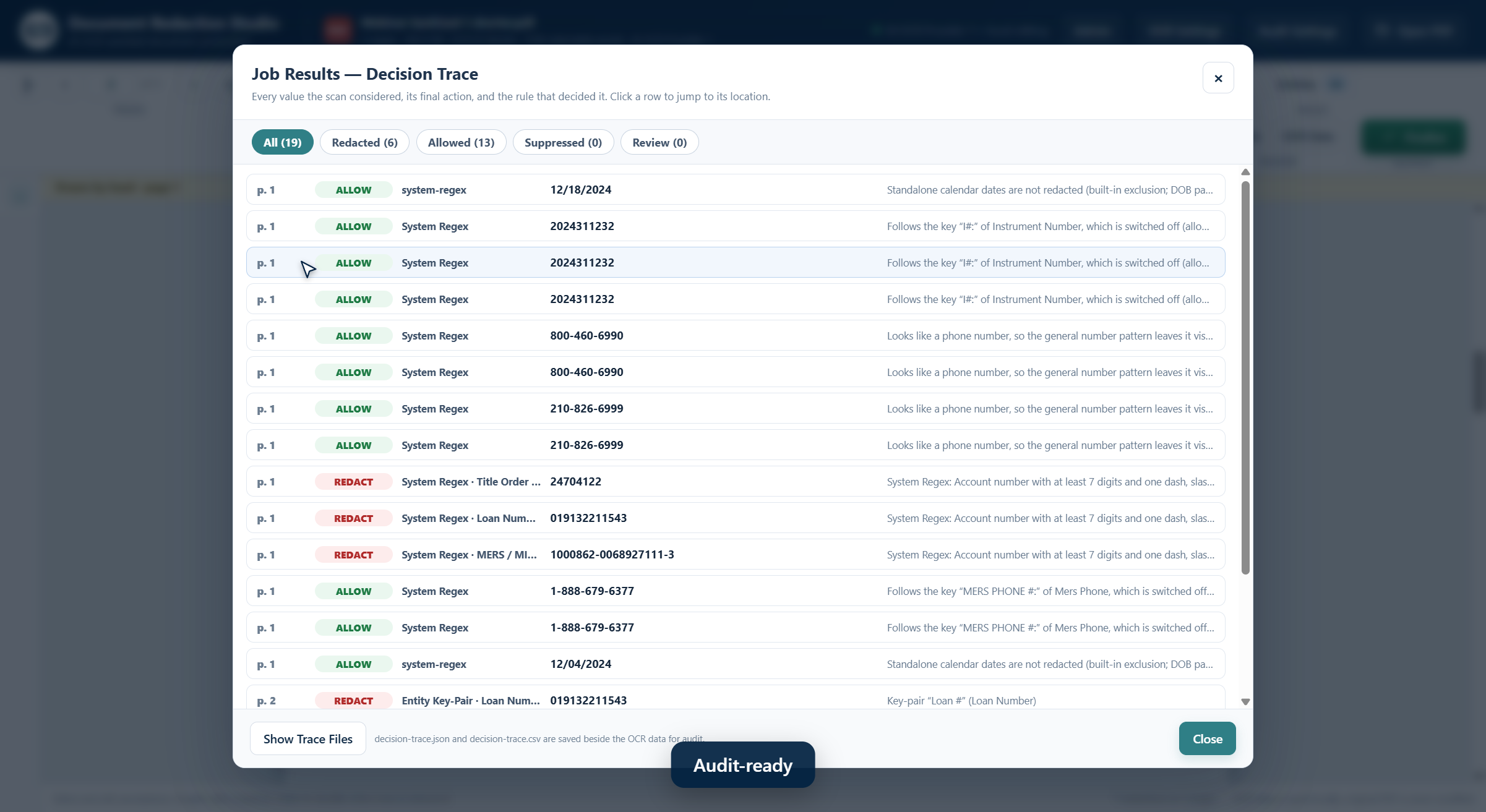
The decision trace records each value considered, its action and the rule that decided it.
Product screens use fictional demonstration data.
Privacy by deployment
Your documents never pass through Alchemy Loop servers. Page images go only to the services you connect, under your own accounts, and the rest of the work happens on your computer.
Finalised PDFs are rebuilt from page images, so nothing beneath a redaction can be copied or recovered.
Practical deployment
One Windows installation per user, with customer-controlled service accounts and a 10-day evaluation.
A single Windows 10 or 11 installation. No server, database or separate IT project.
Connect your own cloud OCR account. Pages go directly from your computer to that account.
An AI image model finds barcodes, QR codes and handwritten numbers while protecting county and notary stamps.
Switch on a second look before finalising, using your own selected AI provider account.
Service keys are protected on the computer and readable only by that Windows user.
Rules, editing, the decision trace and the final PDF remain on the PC.
Windows 10 or 11, 64-bit · Internet connection required for text recognition, detection and the optional audit · Prepaid page blocks do not expire
Product demonstration
Watch the full workflow from opening a fictional sample package through review, rule handling, the decision trace and the final PDF.
Narration uses an AI-generated voice. Documents shown contain fictional data.
Document Redaction Studio
See Document Redaction Studio on your own documents.